
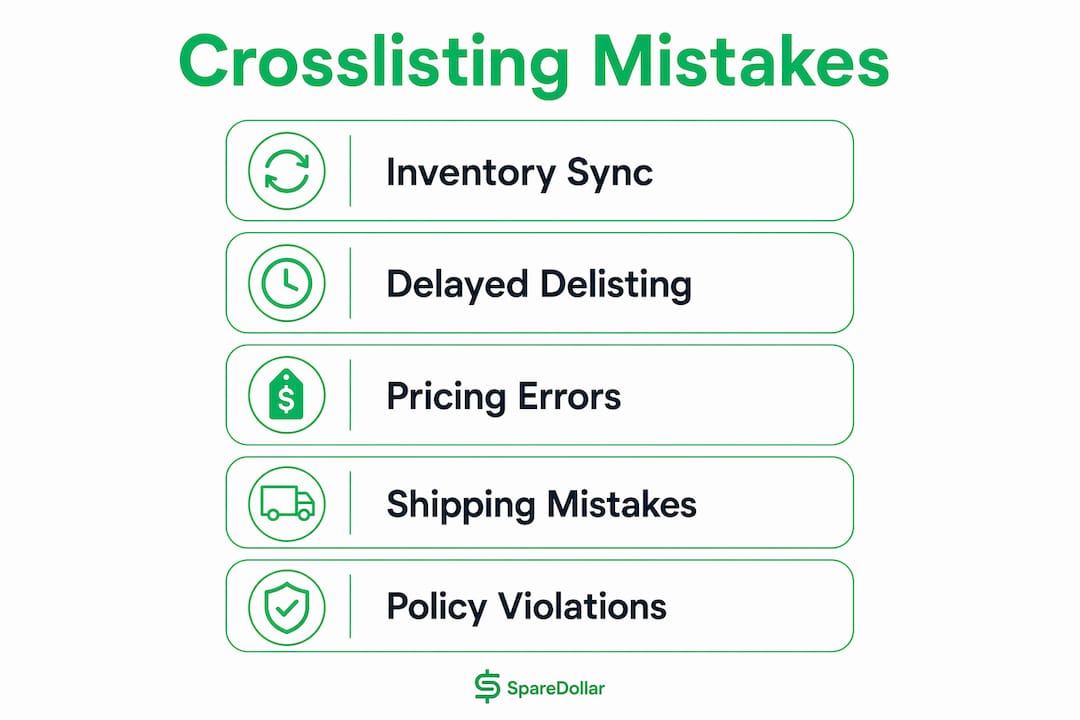
The most damaging crosslisting mistakes aren’t the ones you see coming. They’re the quiet ones: a sold item still live on three platforms, a price that looks identical but loses you $8 after fees, a listing that gets buried because you copied the same description everywhere. Here’s the short version of what trips up most resellers:
- Failing to delist sold items fast enough. Overselling is the most serious crosslisting error resellers face. Sell something on eBay, forget to pull it from Poshmark, and suddenly you’ve got two buyers and one item. The fallout: refunds, negative feedback, and account penalties.
- Copying the same listing description to every platform. eBay buyers want specs and model numbers. Poshmark shoppers want brand names and style context. Mercari users want it short. One-size-fits-all descriptions underperform everywhere.
- Ignoring platform fee differences when pricing. A $40 item nets $34.80 on eBay but $32 on Poshmark after fees. Pricing must be adjusted per platform to avoid margin loss.
- Creating duplicate listings on the same platform. Platforms like Poshmark and Mercari penalize duplicate or near-identical listings with ranking demotions or outright removal.
- Spreading across too many platforms too fast. Experts recommend mastering a few platforms before expanding. More platforms without solid systems means inventory chaos and burnout.
SpareDollar’s AI-assisted automation addresses several of these directly, particularly the inventory sync and auto-delist problems that cause the most damage. More on that below.
Table of Contents
- Why crosslisting works, and where sellers go wrong
- How to build a crosslisting workflow that actually prevents errors
- Platform-specific tips for eBay, Poshmark, Mercari, and beyond
- How SpareDollar helps eBay sellers sidestep crosslisting mistakes
- How to handle order synchronization errors
- Shipping and fulfillment mistakes that hurt crosslisted sellers
- Legal and policy compliance mistakes when crosslisting
- Using automation tools effectively, and the pitfalls to avoid
- Stop losing sales to errors you could have avoided
- Key Takeaways
- FAQ
Why crosslisting works, and where sellers go wrong
Crosslisting, the practice of listing the same item across multiple marketplaces simultaneously, genuinely works. More platforms means more eyeballs, faster sales, and access to buyer audiences that don’t overlap much. A vintage denim jacket might sit for weeks on one platform and sell in hours on another. That’s the whole point.
The problems start when sellers underestimate the operational complexity. Each platform has its own rules, its own algorithm, its own fee structure, and its own buyer expectations. Managing all of that manually across six platforms is a recipe for errors.
Why mistakes happen:
- Manual syncing is slow. By the time you delist a sold item from four other platforms, someone may have already bought it again.
- Fee structures differ significantly, so a flat price across platforms quietly erodes margins on some and overcharges buyers on others.
- Each platform’s search algorithm rewards different things, so a listing optimized for eBay may rank poorly on Etsy.
- Platform rules change. What was allowed last year on Mercari may get your listing pulled today.
Practical fixes to put in place now:
- Pick 2–3 platforms that match your inventory type and learn them well before adding more.
- Write platform-specific descriptions, even if it’s just a quick rewrite of tone and keyword focus.
- Calculate your net price per platform before setting any price. Build fees into the number, not as an afterthought.
- Schedule a weekly listing audit to catch stale, mislabeled, or underperforming listings before they become problems.
- Use a single source of truth for your inventory, whether that’s a spreadsheet or a tool like SpareDollar, so you always know what’s actually available.
The trade-off between wider reach and operational complexity is real. More platforms can mean more sales, but only if your systems can keep up. Without structure, you’re not scaling. You’re just making more mistakes in more places.
How to build a crosslisting workflow that actually prevents errors
A good crosslisting workflow isn’t complicated. It’s just consistent. The sellers who avoid the worst errors aren’t necessarily using the fanciest tools. They’ve just built habits that account for the things that go wrong.
-
Set one source of truth for inventory. Every item you own should live in one master list, with its status (available, listed, sold) updated in real time. Whether that’s a spreadsheet or an inventory tool, this is non-negotiable.
-
Delist immediately after a sale. Manual checks should happen at least twice daily if you’re not using automation. When a sale comes in, your first move is pulling that item from every other platform, ideally within the hour. Waiting until the end of the day is how overselling happens.
-
Set up sale notifications on every platform. Email alerts, app push notifications, whatever works for you. The faster you know about a sale, the faster you can delist everywhere else.
-
Build a buffer into your quantities. If you have one unit of something, list it as one unit. Don’t list the same single item as “quantity: 2” hoping for the best.
-
Standardize your pricing process. Before listing anything, calculate your net return on each platform after fees and shipping. Write it down. Adjust the price per platform accordingly, not after the fact.
-
Schedule weekly listing reviews. Stale listings get buried. A quick weekly pass to refresh photos, update descriptions, or relist items that haven’t moved keeps your inventory visible.
-
Document your delisting protocol. Sounds formal, but it’s just a checklist: sold on Platform A, delist from B, C, and D. Takes 30 seconds and prevents hours of buyer disputes.
-
Track your expenses per platform. Fees, shipping costs, packaging. If you’re not tracking this, you don’t actually know which platforms are profitable for you.
The numbered order matters here. Inventory truth comes first because everything else depends on it. Delisting speed comes second because that’s where the most expensive mistakes happen.
Platform-specific tips for eBay, Poshmark, Mercari, and beyond
Every marketplace has quirks. Ignoring them is one of the most common errors in multi-platform listing, and it costs sellers rankings, sales, and sometimes their accounts.

eBay
eBay’s algorithm rewards specificity. Model numbers, brand names, condition details, and accurate item specifics all matter. Missing a required field, like “Material” for clothing or “Model Year” for electronics, can get a listing suppressed without any clear explanation. eBay’s eBay integration through tools like SpareDollar helps pre-fill item specifics accurately, which cuts down on suppression issues significantly.
Do: Fill every item specific field. Use the exact model number in the title. Check eBay’s category requirements before listing.
Don’t: Copy a Poshmark description into eBay without adding technical details. Ignore suppression notices. Create a new listing with the same SKU as a recently sold item (eBay holds that SKU for 90 days).
Poshmark
Poshmark is brand-driven. Buyers search by brand name first, style second. Your title and description should lead with the brand. Duplicate or near-identical listings on Poshmark trigger penalties, so one listing per item, period. Manual sharing is encouraged; automated sharing tools violate Poshmark’s terms and risk account suspension.
Do: Lead with the brand name. Use Poshmark’s sharing feature manually to boost visibility. Keep listings clean and photo-forward.
Don’t: List the same item twice. Use auto-sharing bots. Paste an eBay-style technical description and call it done.
Mercari
Mercari keeps things simple, and your listings should too. Hashtags are restricted, so don’t try to game the search with a wall of tags. Descriptions should be concise and conversational. Mercari’s fee structure differs from eBay and Poshmark, so price accordingly.
Do: Write short, clear descriptions. Price with Mercari’s fees factored in. Respond to buyer questions quickly, since Mercari’s algorithm rewards active sellers.
Don’t: Use hashtag stuffing. Copy a long eBay description verbatim. Ignore the fee difference when setting prices.
Facebook Marketplace
Facebook Marketplace is hyperlocal and conversational. Buyers expect quick responses and often want to negotiate. Listings here don’t benefit from the same SEO optimization as eBay or Etsy. Photos matter more than keywords. Automated renewal tools violate Facebook’s terms, and accounts get flagged for it.
Do: Use clear, well-lit photos. Respond fast. Price with local competition in mind.
Don’t: Use automated renewal or bumping tools. Expect the same buyer behavior as a traditional marketplace.
Depop
Depop skews younger and fashion-forward. Aesthetic matters. Listings with lifestyle photos outperform plain white-background shots. The Depop audience responds to personality in descriptions. Vintage and streetwear sell well; generic basics don’t.
Do: Style your photos. Write descriptions with some personality. Use relevant style tags.
Don’t: List non-fashion items expecting strong results. Use the same clinical description you’d write for eBay.
Etsy
Etsy rewards long-tail keywords. A listing titled “Handmade Ceramic Mug” will get buried. “Handmade Ceramic Coffee Mug with Handle, Speckled Blue, 12oz” has a real shot. Etsy’s algorithm favors descriptive, specific keywords in both the title and tags. Etsy is also strict about what qualifies as “handmade” or “vintage,” so listing mass-produced items in those categories can get your shop suspended.
Do: Use all 13 tag slots. Write long-tail titles. Understand Etsy’s handmade and vintage policies before listing.
Don’t: Use the same generic title you’d use on Mercari. List items that don’t meet Etsy’s category definitions.
How SpareDollar helps eBay sellers sidestep crosslisting mistakes
Most crosslisting errors come down to two things: slow inventory updates and lazy listing customization. SpareDollar was built to address both, starting with eBay and extending across multiple marketplaces.
Here’s what it actually does in practice:
- AI-assisted listing drafts. SpareDollar generates a listing draft using AI, pulling in accurate item specifics and product details automatically. You review it before anything goes live. Think of it as having a very detail-oriented assistant who never forgets to fill in the “Material” field.
- Per-platform customization. Rather than pushing one generic listing everywhere, SpareDollar lets you set per-channel pricing and adjust details for each marketplace’s audience and algorithm.
- Inventory sync and auto-delist. When an item sells, SpareDollar auto-delists across platforms, cutting the window where overselling can happen. This is the single most valuable feature for active resellers.
- Barcode scanning and bulk actions. For sellers moving volume, barcode scanning speeds up the listing process and reduces manual entry errors.
- Free imports from eBay, Poshmark, Depop, Mercari, and Shopify. You can pull existing listings in without rebuilding them from scratch.
- Sales and profit analytics. Knowing which platforms actually make you money changes how you allocate your time.
Pro Tip: Automation handles the repetitive work, but it doesn’t replace judgment. Always review AI-generated drafts before publishing, especially for items with unusual condition notes or rare variants. SpareDollar gives you the final say before anything goes live, which is exactly the right design. (Even the best AI can’t tell a “distressed” jacket from a genuinely damaged one.)
SpareDollar’s focus on eBay integration first means its item specifics handling is particularly strong for that platform, where missing fields cause the most suppression issues. The multi-marketplace layer extends that accuracy outward, keeping brand consistency intact across channels without requiring you to manually rewrite every listing from scratch.
How to handle order synchronization errors
Order sync errors are one of the more frustrating crosslisting pitfalls to watch, because they often look like a tool problem when they’re actually a timing problem. An item sells on eBay, the sale takes a few minutes to register via the API, your crosslisting tool checks for updates on its own schedule, and by the time the delist command reaches Poshmark, another buyer has already purchased the same item.
The fix has two parts. First, when you get a sale notification, manually delist that item from other platforms immediately. Don’t wait for the automation to catch up. Thirty seconds of manual work prevents hours of buyer disputes. Second, understand your tool’s sync interval. Some tools check for sales every 15–30 minutes; others sync hourly. Knowing that gap tells you how long your exposure window is after a sale.
Sync errors also stem from expired API tokens. If your crosslisting tool suddenly shows “connection failed” or stops updating, the first step is to disconnect and reconnect your platform integration, not just hit retry. Hammering a failed connection with repeated retry attempts makes the problem worse. Reconnecting generates a fresh authentication token and usually resolves the issue immediately.
Duplicate SKU errors are another common sync headache. If you delete a listing but the error persists, force a full sync refresh in your tool rather than waiting for the automatic cycle. On eBay specifically, a sold item’s SKU remains reserved for 90 days, so relisting with the same SKU requires using eBay’s native “Relist” function rather than creating a new listing.
Shipping and fulfillment mistakes that hurt crosslisted sellers
Shipping is where crosslisting gets physical, and the errors here have real costs: refunds, negative feedback, and sometimes lost packages.
The most common mistake is using a single flat shipping rate across all platforms without accounting for buyer location or package weight. A rate that works for a local Mercari buyer might lose you money on a heavy item shipped across the country via eBay. Calculate shipping costs per item, per platform, using the actual dimensions and weight. Guessing costs you money.
A related error is failing to update shipping profiles when carrier rates change. USPS, UPS, and FedEx adjust rates periodically. If your listings still reflect last year’s rates, you’re either overcharging buyers or eating the difference yourself.
For crosslisted items, the fulfillment risk is double: if an item sells on two platforms simultaneously before you can delist, you may end up with two shipping labels to print and only one item to send. The only real protection is fast delisting after every sale, paired with a clear cancellation and refund process for the rare case where it happens anyway.
Packaging consistency matters more than most sellers realize. Buyers who purchase from you on multiple platforms will notice if your packaging quality varies wildly. Consistent, professional packaging builds repeat business regardless of which platform the sale came through.
Legal and policy compliance mistakes when crosslisting
Platform policies and legal requirements aren’t the most exciting part of reselling, but violations here can end your selling career on a platform permanently.
Prohibited items. Every platform maintains a list of restricted or banned items. What’s allowed on Facebook Marketplace may be prohibited on eBay, and vice versa. Counterfeit goods, certain electronics, and regulated items like some chemicals or weapons accessories are common problem areas. Listing a prohibited item, even accidentally, can result in immediate account suspension.
Intellectual property. Using brand logos, copyrighted photos, or trademarked terms in ways the brand hasn’t authorized violates platform policies and potentially federal law. This is especially common when resellers use manufacturer stock photos without permission. Always use your own photos.
Accurate condition descriptions. Misrepresenting an item’s condition isn’t just a policy violation. It’s a consumer protection issue. “Like new” means something specific on each platform. Overstating condition leads to returns, disputes, and negative feedback.
Tax obligations. The IRS requires resellers to report income from online sales. In 2022, the IRS updated the 1099-K reporting threshold, and platforms are required to issue 1099-K forms to sellers who meet certain transaction thresholds. Keep records of your cost basis for every item you sell. Failing to track this makes tax season genuinely painful.
Automated activity bans. Auto bumping and auto relisting violate the terms of service on most platforms. Platforms can and do suspend accounts for this. Manual sharing is fine; bots are not.
Using automation tools effectively, and the pitfalls to avoid
Automation is the right answer to most crosslisting complexity. The wrong answer is automating everything blindly and assuming the tool handles it perfectly.
The most effective use of automation is for the tasks that are time-sensitive and repetitive: inventory sync, delisting after sales, listing drafts, and price updates. These are exactly the tasks where human error is most likely and most costly.
Where automation creates problems is when sellers treat it as a set-it-and-forget-it system. Tools have sync intervals, not real-time connections. APIs go down. Batch imports fail. A seller who never checks their listings because “the tool handles it” will eventually discover a sold item still live on three platforms, or a listing that was never actually published because of a silent import error.
Common automation pitfalls:
- Assuming sync is instant. Most tools operate on intervals, not real-time. Know your tool’s sync speed.
- Ignoring error notifications. Tools surface errors for a reason. An unread “sync failed” notification is a ticking clock.
- Over-automating platform interactions. Auto-sharing, auto-bumping, and auto-relisting bots violate platform terms. Automation that touches buyer-facing platform features directly is almost always against the rules.
- Skipping the review step on AI-generated listings. AI drafts are a starting point, not a finished product. Review before publishing.
- Not testing after setup. After connecting a new platform integration, test with a single listing before importing your full catalog.
The right balance is using automation for the back-end work (inventory, sync, drafts) while keeping human judgment in the loop for the front-end stuff (listing quality, pricing decisions, buyer communication). SpareDollar’s design reflects this: AI does the drafting, you approve before anything goes live.
Stop losing sales to errors you could have avoided
Crosslisting across eBay, Poshmark, Mercari, Depop, and beyond gives you real reach. But that reach only pays off if your inventory stays accurate, your prices account for fees, and your listings speak to each platform’s audience. Most sellers who struggle with crosslisting aren’t doing anything dramatically wrong. They’re just managing too much manually, too slowly.
SpareDollar cuts the manual work down to what actually requires your judgment. List once on eBay, and SpareDollar’s AI drafts platform-specific versions, fills in item specifics, recommends pricing, and auto-delists the moment something sells. You stay in control of what goes live; the tool handles the repetitive parts that cause errors. For resellers who are tired of canceling orders and apologizing to buyers, that’s a meaningful difference. Check out SpareDollar’s full feature set or see which marketplaces it supports to find out if it fits your workflow.
Key Takeaways
The single most damaging crosslisting mistake is failing to delist sold items fast enough, because overselling triggers refunds, negative feedback, and account penalties across every platform.
| Point | Details |
|---|---|
| Delist immediately after every sale | Sold items should be removed from all other platforms promptly to prevent overselling. |
| Price per platform, not across platforms | A $40 item nets $34.80 on eBay and $32 on Poshmark after fees; adjust each price accordingly. |
| Customize listings per platform | eBay rewards model numbers and specifics; Poshmark prioritizes brand names; Etsy benefits from long-tail descriptive keywords. |
| Limit platforms until systems are solid | Experts recommend mastering a few platforms before expanding; more platforms without strong systems causes inventory chaos. |
| SpareDollar automates the error-prone steps | SpareDollar’s AI drafts listings, syncs inventory, and auto-delists sold items, keeping you in control before anything goes live. |
FAQ
What are the pros and cons of crosslisting?
Crosslisting increases visibility and speeds up sales by reaching buyers across multiple platforms. The trade-off is operational complexity: more platforms mean more rules to follow, more pricing adjustments, and faster inventory management requirements.
What is a listing error?
A listing error is any mistake in how an item is posted on a marketplace, including inaccurate descriptions, wrong pricing, missing required fields, duplicate listings, or prohibited item violations. These errors can result in suppressed listings, buyer disputes, or account penalties.
Is crosslisting a good idea for resellers?
Yes, when done with proper systems in place. Crosslisting works best when sellers focus on 2–3 platforms they know well, maintain real-time inventory sync, and customize listings for each platform’s audience and algorithm.
Does Poshmark allow crosslisting?
Poshmark allows sellers to list the same item on other platforms, but it prohibits duplicate listings within Poshmark itself and bans automated sharing or relisting tools. Manual sharing is encouraged; bots are not.
How does SpareDollar help prevent crosslisting mistakes?
SpareDollar uses AI to draft listings with accurate item specifics, syncs inventory across platforms, and auto-delists items when they sell, reducing the most common errors like overselling and inconsistent pricing.