
Marketplace listing compliance means keeping every listing truthful, complete, and tailored to each channel’s rules. Right now, before you read another word: export your SKU list, flag anything in high-enforcement categories (electronics, branded apparel, health products), and confirm your business contact and tax info is current on every platform. If you use AI to draft listings, turn off auto-publish until a human has reviewed each one. Those three steps alone cut your suspension risk significantly.
- Run a quick high-risk SKU audit (30 minutes or less with a spreadsheet export)
- Verify your business name, address, and tax ID match across all channels
- Disable auto-publish for AI-drafted listings until you have a review step in place
Under 15 U.S.C. §45f, marketplaces must verify seller identity information within 10 days of collection and can suspend sales if you fail to certify updates after notice. That is not a slow process. Get your documents ready now.
Table of Contents
- What does marketplace listing compliance actually cover?
- How to audit and fix listings before they get flagged
- Platform-specific gotchas every cross-listing seller should know
- How SpareDollar helps you prevent compliance issues at scale
- How to respond when a listing gets removed or your account is flagged
- What does a compliance audit actually cost in time and money?
- Key Takeaways
- The mistake most sellers make is thinking compliance is a one-time fix
- SpareDollar keeps you compliant without slowing you down
- Useful sources for U.S. sellers
- FAQ
What does marketplace listing compliance actually cover?
Compliance for online listings breaks down into six policy areas. Miss any one of them and you are looking at a removed listing at best, a suspended account at worst.
Prohibited products. Every platform maintains a list of items that cannot be sold, and the categories shift. Weapons, certain supplements, recalled goods, and counterfeit items are the obvious ones. Less obvious: some platforms restrict used medical devices, certain batteries, or items with specific chemical compositions.
Accurate item specifics. Size, color, material, condition, and brand must match the physical item exactly. Marketplace guidance is explicit: titles must stay under character limits, attributes must use correct units, and promotional claims in titles are prohibited.

Intellectual property and authenticity. Using a brand name you are not authorized to use, or claiming an item is authentic without documentation, triggers IP enforcement fast. This applies to logos in images too.
Images and image rights. Most platforms require a white or neutral background for the primary image, minimum resolution standards, and no watermarks. Using stock photos you do not have rights to is a separate violation.
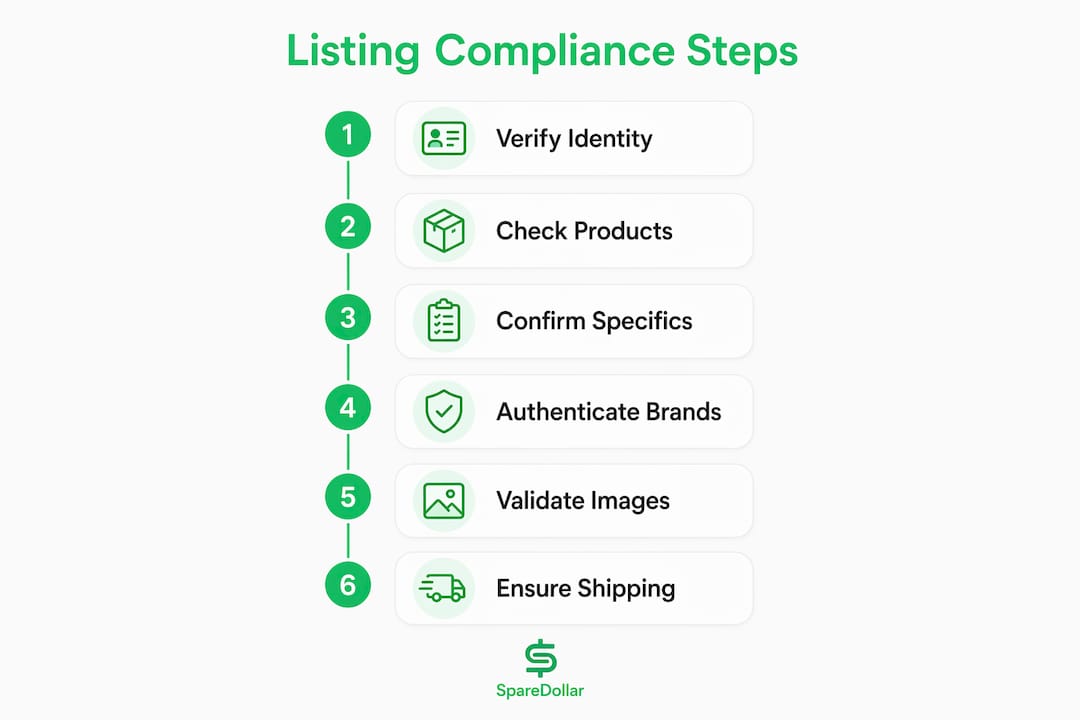
GTIN/UPC/MPN rules. Many categories require a valid barcode. Entering a fake or mismatched GTIN is one of the fastest ways to get a listing suppressed.
Shipping, returns, and tax. Stated handling times must be accurate. Return policies must meet platform minimums. And your tax documentation must be current, especially if you cross the revenue thresholds that trigger disclosure requirements for high-volume sellers.
| Policy Area | What Gets You in Trouble |
|---|---|
| Prohibited products | Selling restricted items or missing category-specific rules |
| Item specifics | Wrong condition, missing attributes, inaccurate size/color |
| IP and authenticity | Unauthorized brand use, unverifiable authenticity claims |
| Images | Wrong background, low resolution, watermarks, rights issues |
| GTIN/UPC/MPN | Fake, missing, or mismatched barcodes |
| Shipping/returns/tax | Inaccurate handling times, outdated tax docs, missing certifications |
How to audit and fix listings before they get flagged
A compliance audit does not have to eat your week. Here is a workflow you can run yourself or hand to a VA.
- Export your full SKU list from every active channel. Include category, price, sales velocity (last 90 days), and last-modified date.
- Flag high-risk listings first. Prioritize by: high sales velocity (more exposure = more scrutiny), categories with known enforcement history (electronics, health, branded goods), listings missing GTINs, and any listing with consumer-facing claims like “FDA approved” or “authentic.”
- Sample 10–15% of flagged listings manually. Check title length and format, condition accuracy, image compliance, attribute completeness, and whether the description matches the photos.
- Fix in batches. Titles and descriptions first (fastest), then images (slower), then attribute corrections (most time-intensive). Use per-channel overrides for anything that needs different phrasing by platform.
- Republish with a review step. Never push fixes live without a final check, especially if AI generated any of the updated content.
- Log every change. A simple spreadsheet with SKU, change made, date, and who reviewed it is enough. You will need this if a platform questions a listing later.
Prioritization matrix: rank listings by combining sales velocity score (high/medium/low) with category risk (red/yellow/green). Fix red-category, high-velocity listings first. A listing selling 50 units a month in electronics is a bigger liability than one selling 2 units a month in home décor.
Estimated time: a 500-SKU audit typically takes several hours for a solo seller doing it manually. Fixes add another 2–8 hours depending on how many images need reshooting.
Pro Tip: Always keep a revision log for AI-drafted content. Marketplaces hold you responsible for every word in your listing, and AI-generated content must be reviewed for accuracy and policy compliance before it goes live. Human-in-the-loop is not optional.
Platform-specific gotchas every cross-listing seller should know
eBay is where most resellers start, and it has some of the most nuanced enforcement patterns.
eBay specifics:
- Condition descriptions must be granular. “Used” is not enough for many categories; you need “Good,” “Very Good,” or “For parts/not working” with accurate detail.
- Brand claims without documentation are a fast path to VERO (Verified Rights Owner) takedowns.
- Multiple eBay accounts are allowed only under specific circumstances. Running two accounts to work around a suspension is a permanent ban risk.
- Your seller identity and business info must stay current. Under federal law, platforms can suspend sales within 10 days of a failed verification.
The table below shows where each major channel type tends to enforce most aggressively.
| Channel Type | Images | Item Specifics | Business Info | AI Content |
|---|---|---|---|---|
| eBay | White bg preferred, no watermarks | Condition detail required | Identity verification required | Seller responsible for accuracy |
| Fashion resale (e.g., Poshmark, Depop) | Multiple angles required | Brand and condition critical | Basic seller info | Allowed with review |
| General marketplace | White bg required, min resolution | GTIN often mandatory | Tax docs for high-volume sellers | Must be truthful, not misleading |
| Handmade/craft (e.g., Etsy) | Lifestyle images accepted | Materials and origin required | Shop policies required | Disclosure recommended |
Per-channel overrides matter here. A description that passes on eBay may violate image or attribute rules on a stricter general marketplace.
How SpareDollar helps you prevent compliance issues at scale
Fixing listings one by one is fine for 50 SKUs. At 500 or 5,000, you need a workflow that catches problems before they go live.
The operational model that works: pre-publish validation checks catch missing GTINs, prohibited terms, and image format issues before a listing reaches any channel. AI drafts the listing content, but the seller approves it before it publishes. Per-channel overrides let you adjust pricing, descriptions, or attributes for each platform without duplicating work. Inventory sync and auto-delist rules prevent overselling and the policy violations that come with it.
SpareDollar is built around exactly this workflow. It is eBay-first, which means the item specifics, condition fields, and category mapping are calibrated for eBay’s enforcement patterns from the start. AI-assisted drafting generates your listing content, and you get final approval before anything goes live. Bulk actions let you fix attributes across hundreds of listings at once. Centralized business info sync means your seller identity data stays consistent across every channel you list on, which directly addresses the verification requirements under federal law.
For sellers who want to compare compliance-specific tooling options, a compliance management software overview is a useful starting point for understanding what validation features to look for.
Pro Tip: Use staged publishing with confidence thresholds. Set AI-drafted listings that score high on completeness and policy checks to go into a “ready to review” queue rather than auto-publishing. Only listings that pass every validation check should even reach that queue. This keeps throughput high without sacrificing the human approval step.
How to respond when a listing gets removed or your account is flagged
Speed and documentation are everything here. The first 24–48 hours after enforcement action determine how quickly you recover.
- Document immediately. Screenshot the removal notice, the listing as it appeared, and any policy violation cited. Do not edit the listing until you have this record.
- Freeze related SKUs. If one listing in a category was flagged, pause similar listings while you investigate.
- Confirm your business info is accurate. A surprising number of suspensions are triggered or prolonged by outdated contact or tax information.
- Gather evidence. Supplier invoices, authenticity certificates, purchase receipts, and any correspondence that proves the item is what you said it is.
- Submit your appeal. Keep it short, factual, and specific.
Compact appeal template:
Evidence checklist:
- Original supplier invoice with item description matching your listing
- Authenticity certificate or brand authorization letter (if applicable)
- Photos of the actual item matching listing images
- Proof of business identity (matches your seller account info)
Under California’s marketplace fairness rules, platforms must make suspension criteria and appeal details available to sellers. If you are not getting a clear reason for a suspension, you have grounds to request one in writing.
Typical timelines: initial response from a platform usually comes within 3–7 business days. Full reinstatement after a first appeal can take 1–3 weeks. Complex cases involving IP disputes or account-level suspensions can run 4–8 weeks.
What does a compliance audit actually cost in time and money?
Honest estimates, with assumptions stated.
| Audit Type | Time Estimate | Cost Estimate | Best For |
|---|---|---|---|
| DIY (solo seller) | 4–8 hrs per 500 SKUs | $0 direct cost | Sellers with under 500 active listings |
| VA-assisted | 2–4 hrs per 500 SKUs | $15–$30/hr depending on VA rate | Sellers with 500 listings |
| Agency/paid audit | Varies by scope | $500 for a full audit | High-volume sellers or post-suspension |
| SaaS-assisted (automated checks) | Minutes per listing | Subscription cost | Any seller wanting ongoing compliance |
Two quick scenarios: a reseller with 300 listings in mixed categories can run a focused audit in a single afternoon by prioritizing the top 20% of revenue-generating SKUs first. That approach typically surfaces 80% of the real risk in a fraction of the time. A seller with 3,000 listings who tries to audit everything at once usually stalls out. Segment by category risk and sales velocity, fix the top tier, then work down.
Reinstatement costs are harder to predict. A straightforward appeal costs only your time. If you need a lawyer for an IP dispute or a complex account suspension, expect $150–$400/hr for e-commerce legal counsel.
Key Takeaways
Keeping listings compliant across multiple marketplaces requires accurate item data, current business verification documents, and a human review step for any AI-drafted content before it publishes.
| Point | Details |
|---|---|
| Business info is urgent | Platforms can suspend sales within 10 days of a failed verification under federal law. |
| Prioritize by risk and velocity | Fix high-sales, high-risk-category listings first to cover 80% of exposure fastest. |
| Human approval for AI drafts | Sellers are legally responsible for AI-generated content; always review before publishing. |
| Appeals need documentation | Gather supplier invoices, authenticity proof, and identity docs before submitting any appeal. |
| SpareDollar for scale | SpareDollar’s eBay-first workflow combines AI drafting with seller approval and inventory sync to keep compliance manageable across channels. |
The mistake most sellers make is thinking compliance is a one-time fix
Here is the thing about listing compliance that most guides skip: the real risk is not the initial setup. It is the drift. You list 200 items correctly, then add 50 more in a hurry, then update prices in bulk without checking whether the descriptions still match the items. Six months later, you have a category of listings that no longer reflects what you are actually selling, and you find out when a buyer files a complaint.
The sellers who stay out of trouble are not the ones who did a perfect audit once. They are the ones who built a repeatable check into every new listing and every bulk update. A staged publishing queue, a revision log, and a policy-check step before anything goes live. That is the whole system. It does not have to be complicated.
The most common mistake I see small sellers make is skipping the condition description. “Used” feels like enough. It is not. A buyer who expected “Very Good” and received “Acceptable” is a defect on your account, not just a bad review. Write the condition like you are describing it to someone who cannot see it.
And yes, if your listings are a mess right now, that is fine. Even a dollar spent on compliance today is a dollar saved on reinstatement fees tomorrow. (SpareDollar would probably say something about that.)
SpareDollar keeps you compliant without slowing you down
Cross-listing to eBay, Poshmark, Depop, Mercari, and beyond means five sets of rules to track. SpareDollar cuts that overhead by letting you list once and sell everywhere, with eBay-first item specifics, AI-assisted drafting that waits for your approval, and per-channel overrides that handle the differences automatically.
Three features that directly reduce compliance risk:
- Centralized business info sync keeps your seller identity consistent across channels, so a verification request does not catch you with mismatched data.
- Pre-publish validation checks flag missing GTINs, prohibited terms, and image issues before a listing reaches any marketplace.
- Audit logs and bulk actions let you track every change and fix attributes across hundreds of listings in one pass.
See how it works for your eBay listings, or check SpareDollar’s full feature set to see what fits your current workflow. Free trial available.
Useful sources for U.S. sellers
These are the primary references used in this article. Save them for appeals and audit documentation.
- 15 U.S.C. §45f — Federal law governing marketplace seller verification, disclosure, and suspension timelines
- California Civil Code Title 1.4C — State-level marketplace fairness rules including suspension criteria and appeal rights
- Marketplace Learn — Item content — Guidance on AI-generated content accuracy and seller responsibility
- Marketplace Learn — Product detail page overview — Field rules for titles, attributes, and images
- Marketplace Learn — Seller retailer policies — Suspension and termination provisions for policy violations
State-level note: California has the most detailed marketplace seller protections in the U.S., but other states are moving in the same direction. If you sell into California and hit a suspension, Title 1.4C gives you the right to request a written statement of reasons. Check your state’s consumer protection office for local equivalents.
This article is general information for educational purposes. Confirm current platform policies and legal requirements with the primary sources above or a qualified professional for your specific situation.
FAQ
What is marketplace listing compliance?
Marketplace listing compliance means your listings are truthful, complete, and meet each platform’s specific rules for content, images, item specifics, and seller identity. Non-compliance can result in listing removal or account suspension.
How quickly can a marketplace suspend my account for missing info?
Under 15 U.S.C. §45f, platforms must verify seller information within 10 days and can suspend sales if you do not certify required updates after notice.
Does AI-generated listing content create compliance risk?
Yes. Marketplace guidance is clear that sellers are responsible for reviewing AI-generated content for accuracy and policy compliance before it publishes. Human approval is required, not optional.
How long does reinstatement take after a suspension?
A straightforward first appeal typically gets a platform response within 3–7 business days. Full reinstatement usually takes 1–3 weeks, though IP disputes or account-level suspensions can run 4–8 weeks.
Can SpareDollar help with listing compliance across multiple channels?
SpareDollar’s eBay-first workflow includes pre-publish validation checks, AI-assisted drafting with seller approval, and centralized business info sync, all of which directly reduce the most common compliance failure points for multi-channel sellers.