
Yes, you can crosslist eBay listings to Poshmark, and it’s a normal part of running a multi-channel resale business. If you have a handful of items, do it by hand this week. If you have hundreds, the math changes fast, and a tool starts paying for itself.
The real risk isn’t the crosslisting itself. It’s selling the same hoodie twice because you forgot to pull it down on the other app. Community threads on r/BehindTheClosetDoor are full of sellers trading free crossposting workarounds, and just as many stories about the oversell headache that follows when nobody’s tracking what sold where.
Before you list anything twice, get one simple system in place:
- Manual crosslisting: free, fast for 5 to 15 items, but you own the tracking.
- Automated tools: cost a subscription, but auto-delist sold items and save hours per week once volume climbs.
- Either way, build a tracker first. A blank spreadsheet beats a mental note every time.
Pro Tip: Before you list a single item on Poshmark, decide right now how you’ll know when something sells on eBay. That one decision prevents most of the “sorry, already sold” messages sellers dread.
Key Takeaways
Crosslisting from eBay to Poshmark works best when sellers build inventory tracking before listing, adapt titles and pricing to Poshmark’s audience, and use auto-delisting to prevent double sales.
| Point | Details |
|---|---|
| Start with a tracker | Log source URL, destination URL, price, and status before crosslisting a single item. |
| Match items to the platform | Apparel, shoes, and accessories perform best on Poshmark; skip low-margin or technical items. |
| Rewrite, don’t copy | Poshmark titles need a 50-character rewrite and a style-focused description, not an eBay copy-paste. |
| Automate once volume climbs | Auto-delisting becomes the highest-value feature once you’re listing dozens of items weekly. |
| Try SpareDollar for the sync problem | SpareDollar imports eBay listings, applies AI-assisted formatting, and auto-delists sold items to prevent oversells. |
Table of Contents
- Why Crosslisting From eBay to Poshmark Actually Pays Off
- What to Prepare Before You Crosslist Any Item
- The Exact Steps to Move a Listing From eBay to Poshmark
- What Do Automation Tools Actually Do for Crosslisting?
- Common Crosslisting Mistakes That Quietly Cost You Sales
- How SpareDollar Handles the Parts That Slow Sellers Down
- What I’ve Learned From Watching Sellers Batch This Wrong (and Right)
- Where to Read More on Crosslisting and Multi-Channel Selling
- Try SpareDollar for Your Own eBay to Poshmark Workflow
- Sources
- FAQ
Why Crosslisting From eBay to Poshmark Actually Pays Off
Poshmark and eBay attract different shoppers, and that gap is the whole reason crosslisting works. Poshmark runs on a social, fashion-first crowd that browses by scrolling, follows sellers, and buys on style and vibe. eBay shoppers search with intent, often hunting for a specific brand, model number, or size. Crossposting exposes the same item to both behaviors, and for apparel, shoes, and accessories, that usually means a faster sale, not just a bigger audience.
That said, crosslisting isn’t a blanket strategy for your whole closet. A few quick filters help:
- Clothing, shoes, bags, and jewelry: strong fit for Poshmark’s audience.
- Electronics, auto parts, and heavily technical items: usually a waste of your time on Poshmark.
- Low-margin items under $10 to $15: the 20% commission can eat your profit before shipping even factors in.
If an item wouldn’t stop a Poshmark scroller, it probably doesn’t belong there. Save the effort for pieces with visual appeal.
What to Prepare Before You Crosslist Any Item
Sloppy prep is where oversells and rejected listings start. Get these four things sorted before you touch the “list” button on Poshmark.
- Build a tracker. A simple spreadsheet with columns for source URL, destination URL, price, and status (Listed, Sold, Delisted) is enough. This is your single source of truth once an item lives on two platforms.
- Filter your eBay inventory. Pull out items in Poshmark-eligible categories, mainly clothing, shoes, accessories, and select home goods, so you’re not wasting time on things that won’t move there.
- Prep your photos and notes. Aim for 5 to 8 images, square-cropped, on a white or neutral background, plus written measurements and condition notes for each piece. Manual crosslisting guides consistently flag photo cropping and condition detail as the two steps sellers skip, then regret.
- Set your pricing rule. Decide upfront how you’ll adjust for Poshmark’s 20% commission versus eBay’s fee structure, so you’re not recalculating math on every single item.
Pro Tip: Tag each item in your tracker with a one-line identity string, like “Levi’s 501 32x32 Blue SKU104.” When a sale notification pops up, you can search that tag in two seconds instead of scrolling through photos trying to remember which listing sold.
Sellers on the eBay Community forum tend to agree on one thing: batching this prep work in one sitting, rather than doing it item by item as you list, cuts total time by a wide margin.
The Exact Steps to Move a Listing From eBay to Poshmark
Here’s the manual workflow, start to finish, for one item. Once you’ve done it three or four times, you’ll move through it in under 10 minutes per listing.
- Pull the details off your eBay listing. Grab brand, size, SKU, condition, exact measurements, and any authenticity notes (receipts, tags, serial numbers) while the listing is open in front of you.
- Download and crop your photos. Poshmark favors square images, so crop accordingly, and lead with your clearest style shot rather than a flat-lay or tag photo. Buyers there scroll fast and judge on the first image.
- Write a new title, not a copy-paste. Poshmark titles cap out around 50 characters, so keep brand, item type, size, and color, and drop anything else. “Nike Air Max 90 Sz 10 White/Grey” beats a long eBay-style keyword string every time.
- Rewrite the description for a Poshmark buyer. Lead with fit and style, then list measurements and condition. Poshmark shoppers care less about shipping policy paragraphs and more about whether it’ll actually fit them.
- Set category, size, and price, then publish. Apply your pricing rule from the prep step, hit list, and immediately copy the new Poshmark URL into your tracker next to the original eBay link.
- Update your tracker the second something sells. Mark the status, then go delist the same item on the other platform before you do anything else. This single habit is what separates sellers who never oversell from sellers who apologize to customers weekly.
Pro Tip: Set a phone reminder for a daily “delist check,” even if you’re only running things manually. Five minutes at the end of the day catches anything that slipped through.
What Do Automation Tools Actually Do for Crosslisting?
Automation tools handle the parts of this workflow that get tedious at volume: pulling your eBay data, reshaping it for Poshmark’s format, and watching for sales so you don’t have to.
Here’s what that actually looks like under the hood:
- Import and field mapping. Tools pull your eBay title, description, photos, and item specifics, then adapt them to fit Poshmark’s title length and category structure automatically.
- Bulk publishing and image processing. Instead of cropping and uploading one item at a time, you queue a batch and the tool handles formatting across the group.
- Sale detection and auto-delisting. This is the feature that actually solves the oversell problem. Auto-delisting is widely considered the single most valuable automation feature for sellers juggling more than one channel, because it removes the human error of forgetting to pull a sold item.
None of this is free of trade-offs. You’re paying a subscription, category mappings occasionally mismatch between platforms, and checking a small test batch before a full bulk import is worth the extra ten minutes every time. Some platforms will straight-up reject a listing if a required field doesn’t map correctly, and you don’t want to discover that after uploading 200 items.
The breakeven point tends to show up once you’re listing more than a few dozen items a week. Below that, manual work is genuinely fine. Above it, the hours you spend cropping photos and rewriting titles start costing more than a monthly subscription would. A centralized catalog model with automatic inventory sync illustrates the underlying architecture well: one source feeds every channel, and the sync layer is what prevents the conflicts manual sellers run into.

Common Crosslisting Mistakes That Quietly Cost You Sales
Most of the mistakes that hurt resellers aren’t dramatic. They’re small habits that compound over dozens of listings.
- Copy-pasted eBay titles. eBay rewards keyword-stuffed titles; Poshmark’s 50-character limit and browse-first buyers punish them. Rewrite every single title.
- Missing measurements or condition notes. Skipping these leads to more pre-sale questions and more returns after the sale, both of which eat your time and your rating.
- Assuming platforms sync automatically. They don’t, unless you’re using a tool built specifically for that. Never assume; always verify against your tracker.
- Pricing the same on both platforms. Poshmark’s 20% commission and its more casual, deal-hunting buyers mean your eBay price often doesn’t translate directly. Test the price gap before you copy a number over.
- Not spot-checking bulk imports. Category or brand mismatches during automated import can get a listing flagged or rejected outright. Always eyeball the first batch before scaling up.
Pro Tip: Keep a running “mistakes” note in your tracker spreadsheet. Every time something goes wrong, jot down what happened. After a month, you’ll have your own personal checklist tuned to your specific inventory.
If you want a deeper breakdown of pricing missteps specifically, our crosslisting strategy guide walks through the fee math in more detail.
How SpareDollar Handles the Parts That Slow Sellers Down
SpareDollar was built around one specific problem: eBay sellers who want to be everywhere buyers are, without manually rewriting the same listing five different ways. It imports your eBay listings directly, then applies marketplace-specific formatting automatically, including AI-assisted drafts for titles and descriptions that you review and approve before anything goes live. You always get final say. No listing publishes without your green light.
The features that matter most for the oversell problem you just read about:
- Auto-delist and inventory sync, so a sale on one channel pulls the listing everywhere else, automatically.
- Per-channel pricing, letting you set a Poshmark price that already accounts for that 20% commission instead of guessing.
- Bulk import with sales and profit analytics, so you can see which platform is actually moving your inventory faster.
If you’re currently maintaining a spreadsheet tracker by hand, this is what that spreadsheet eventually wants to become. Check out the Poshmark marketplace integration to see exactly how the import and formatting work, and know that a free trial is available if you want to test it against your own inventory first.
Pro Tip: Run your five slowest-moving eBay items through an import tool first. If they don’t sell faster on a second platform within a few weeks, that’s useful data too. Not everything needs to be everywhere.
What I’ve Learned From Watching Sellers Batch This Wrong (and Right)
The sellers who burn out on crosslisting are almost always the ones doing it item by item, in real time, as inspiration strikes. Batching photo edits, title rewrites, and description tweaks in one sitting, even just ten items at a time, cuts the total time by a wide margin compared to constantly switching between platforms mid-task.
Here’s the one thing worth doing in the next hour: open your eBay inventory right now and tag ten items as Poshmark-eligible. Don’t list them yet. Just sort them.
And yes, SpareDollar spelled backward is still SpareDollar, but at least it’s easier to say than “the tool that stops you from accidentally double-selling your vintage Levi’s.” We tried.
— Tomas
Where to Read More on Crosslisting and Multi-Channel Selling
- eBay Community discussion on crosslisting to other platforms
- Best multichannel selling platforms overview
Try SpareDollar for Your Own eBay to Poshmark Workflow
If you’ve made it this far, you already know the manual grind: reformatting titles, cropping photos, and praying you remember to delist before someone else buys the same item on the other app. SpareDollar exists specifically to remove that grind for eBay sellers expanding to Poshmark, Depop, Mercari, and Shopify without giving up control over what actually gets published.
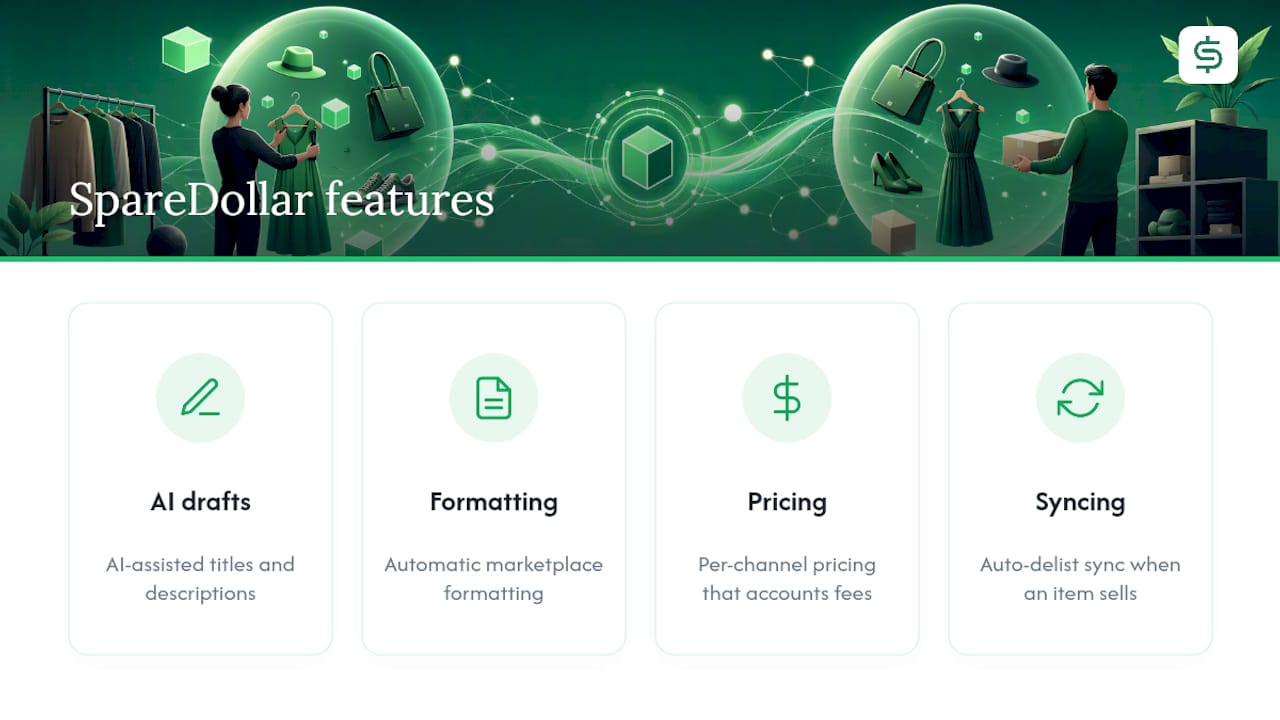
You get AI-assisted drafts for titles and descriptions, automatic marketplace formatting, per-channel pricing that accounts for fee differences, and auto-delist syncing so a sale on eBay pulls your Poshmark listing without you lifting a finger. Every draft still needs your approval before it goes live, so nothing publishes on autopilot without your say.
If you’re managing more than a handful of crosslisted items right now, check the marketplaces SpareDollar connects to and start a free trial to see how much of this week’s listing work disappears.
Sources
- Free way to crosspost from eBay to Mercari/Poshmark?
- Marketplaces & Social | Multi-Channel Listing Tool - GoDaddy
FAQ
Is there a crosslisting app that works for both Poshmark and eBay?
Yes, several tools import eBay listings and reformat them for Poshmark automatically, including AI-assisted drafting and auto-delist features. SpareDollar is one option built specifically around eBay-first sellers expanding to other marketplaces.
Can I list on Poshmark and eBay at the same time?
You can list on both platforms for the same item, but you need a tracking system or automation tool to avoid selling it twice. Manual sellers typically use a spreadsheet; automated tools handle sale detection and delisting for you.
Does Poshmark or eBay charge higher seller fees?
Your break-even pricing should account for this gap rather than using identical prices on both platforms.
What is Poshmark’s 30-minute rule?
Poshmark gives buyers a short window to cancel an order after purchase before the seller is expected to ship. Check Poshmark’s current seller policies directly, since platform rules can change.