
Auto delist on sale removes or deactivates the same item across your other connected marketplaces the moment one channel reports it sold. It stops the double-sale problem that eats into ratings and forces awkward cancellation emails. SpareDollar and similar cross-listing tools offer this as an opt-in feature, not something switched on by default. Your next move: connect one marketplace, run a test sale or mark an item sold manually, and watch whether the linked listings actually disappear elsewhere.
Key Takeaways
Auto delist on sale prevents double-selling by detecting a sale on one marketplace and automatically ending or zeroing out the linked listing everywhere else you sell.
| Point | Details |
|---|---|
| Verify the linkage | Listings created directly in your sync tool keep auto-delist working; CSV-imported listings often lack that connection. |
| Expect short delays | Most delist actions finish within about ten minutes; follow up if nothing has happened after an hour. |
| Watch multi-quantity SKUs | Platforms like Mercari enforce single-quantity listings, so shared inventory across channels needs manual attention. |
| Preserve sold pages when it helps SEO | Keeping a “Sold” status live instead of deleting the page can protect existing search traffic. |
| SpareDollar centralizes the workflow | It offers opt-in auto-delist, per-channel SKU mapping, and reconciliation logs from one dashboard. |
Table of Contents
- How Does Auto Delist on Sale Actually Work?
- Which Marketplaces Commonly Support Auto-Delist?
- How Do You Set Up Auto Delist for Your Listings?
- What Are the Limitations and Edge Cases to Watch For?
- Where Do You Monitor Sales and Fix Missed Delists?
- Why SpareDollar Handles Auto-Delist Well (And How to Configure It)
- Is Your Sale Data Safe With Auto-Delist Tools?
- Does Auto-Delist Improve or Hurt Seller Ratings?
- A Straight Answer From Someone Who Builds This Stuff
- Stop Double-Selling Across Every Channel You List On
- Sources
- FAQ
How Does Auto Delist on Sale Actually Work?
A sale on one marketplace fires a signal, usually a webhook or an API message, and that triggers your inventory system to act. The flow looks like this:
- A buyer purchases the item on Marketplace A.
- Marketplace A sends an order notification to the connected inventory tool.
- The tool updates the linked SKU across every other connected channel.
- It either ends the listing entirely or sets the quantity to zero, depending on your settings.
There are two common outcomes here, and they’re not the same thing:
- Hard end: the listing is closed or deactivated outright on the other channels.
- Quantity sync: inventory drops to zero, which functionally hides the listing without deleting it.
Expect a short lag between sale and delist. Support documentation from inventory-sync platforms suggests most delist actions complete within a short time span, with background reconciliation catching stragglers. If something hasn’t cleared within a reasonable time, that’s your cue to check logs rather than wait it out.
Which Marketplaces Commonly Support Auto-Delist?
Support varies by platform, and the differences matter more than most sellers expect. You’ll typically see auto-delist working across:
- Major marketplaces like eBay
- Resale-focused apps such as Poshmark, Depop, Mercari, Grailed, and Whatnot
- Shopify storefronts
- Etsy shops connected through a cross-listing tool
Platform quirks complicate the picture. Some apps only allow quantity updates through their API, not a full listing deletion, which means “delisted” can really mean “quantity zero and hidden.” Mercari, for instance, is notorious among resellers for enforcing single-quantity listings, so any multi-item SKU needs special handling.
Pro Tip: If a marketplace’s API doesn’t support instant push notifications, background polling fills the gap; it’s slower, so build in a buffer before assuming a missed delist is a bug.
How Do You Set Up Auto Delist for Your Listings?
Getting this running takes less time than writing the item description for your last vintage jacket. Here’s the sequence:
- Grant the inventory tool permission to read and write listings on each marketplace account.
- Connect your accounts one at a time, starting with your highest-volume channel.
- Confirm SKUs and listing IDs are mapped correctly. Listings imported by CSV instead of created through the tool often lack this linkage, which breaks auto-delist entirely.
- Turn on sale detection.
- Opt in to auto-delist specifically. It’s rarely bundled automatically with basic sync.
Before trusting it with real inventory, run a test:
- List a low-value or test item across two channels.
- Mark it sold manually on one.
- Confirm the second listing ends or zeroes out within the expected window.
Once that test passes, check your activity log or sync dashboard for a clean confirmation entry. If setup went sideways, get comfortable managing your eBay inventory manually while you troubleshoot the connection.
What Are the Limitations and Edge Cases to Watch For?
Auto-delist isn’t magic, and treating it like a guarantee is how sellers get burned. Common failure points include:
- Delayed notifications from a marketplace’s own servers, not your tool
- Multi-quantity mismatches, where one unit sells but three others stay listed elsewhere
- Listings that were never properly linked (again, the CSV-import trap)
- API rate limits during high-traffic periods
- Manual edits made directly on a marketplace that the sync never sees
Some platforms simply don’t offer a hard delete through their API, only inventory adjustments. That’s a platform limitation, not a tool failure, and no amount of clever engineering fixes it.
Pro Tip: Keep quantities conservative on anything you sell across three or more channels. A single overstated quantity multiplied across five marketplaces is how you end up refunding four buyers before lunch.
For genuinely high-value items, consider a manual hold rule rather than relying purely on automation, and lean on background reconciliation as your safety net.
Where Do You Monitor Sales and Fix Missed Delists?
Your sync dashboard is where the real story lives, not your inbox. Watch these fields:
- Recent sales feed, showing what’s been detected and when
- Sync logs, flagging successful and failed delist attempts
- API error messages tied to specific marketplaces
- Queued jobs waiting on reconciliation
When something doesn’t delist as expected, work through it methodically:
- Confirm the marketplace actually sent a sale notification (some notification failures start upstream, not with your tool).
- Check the SKU mapping for that specific listing.
- Review the most recent reconciliation run for errors.
- Force a manual resync if the automated pass missed it.
- Delist manually as a stopgap, then flag the pattern if it recurs.
Bulk correction tools help when a whole batch drifts out of sync at once, saving you from clicking through fifty listings one by one.
Why SpareDollar Handles Auto-Delist Well (And How to Configure It)
SpareDollar builds auto-delist around the same principle every reliable inventory system uses: one source of truth, not five disconnected spreadsheets pretending to talk to each other.
What you get:
- Centralized inventory that tracks every connected channel from one dashboard
- Sale-detection logic that flags a sold item the moment a marketplace reports it
- Opt-in auto-delist, so nothing changes on other channels without your say
- Per-channel SKU mapping to keep listings linked correctly
- Background reconciliation that catches anything the real-time signal missed
- Activity logs so you can see exactly what happened and when
Configuration options include choosing a hard end versus a quantity-to-zero approach, setting your reconciliation schedule, and deciding how you want to be notified when something needs attention.
A few best practices worth adopting regardless of which tool you use: test the workflow before trusting it with real inventory, keep quantities conservative on shared SKUs, and reserve quantity for items you also sell in person or through untracked channels.
One SEO note that trips up a surprising number of resellers building their own storefront: removing a sold item’s page too aggressively can hurt search visibility. Keeping a page live with a clear “Sold” status, rather than deleting it outright, tends to preserve the search traffic and internal links that page already earned. Marking sold and deleting aren’t interchangeable actions either; marking sold triggers follow-up processes like buyer notifications, while deletion just erases the record.
For sellers building consistent storefronts across channels, pairing auto-delist with consistent listings across marketplaces keeps your brand looking coordinated instead of chaotic.
Is Your Sale Data Safe With Auto-Delist Tools?
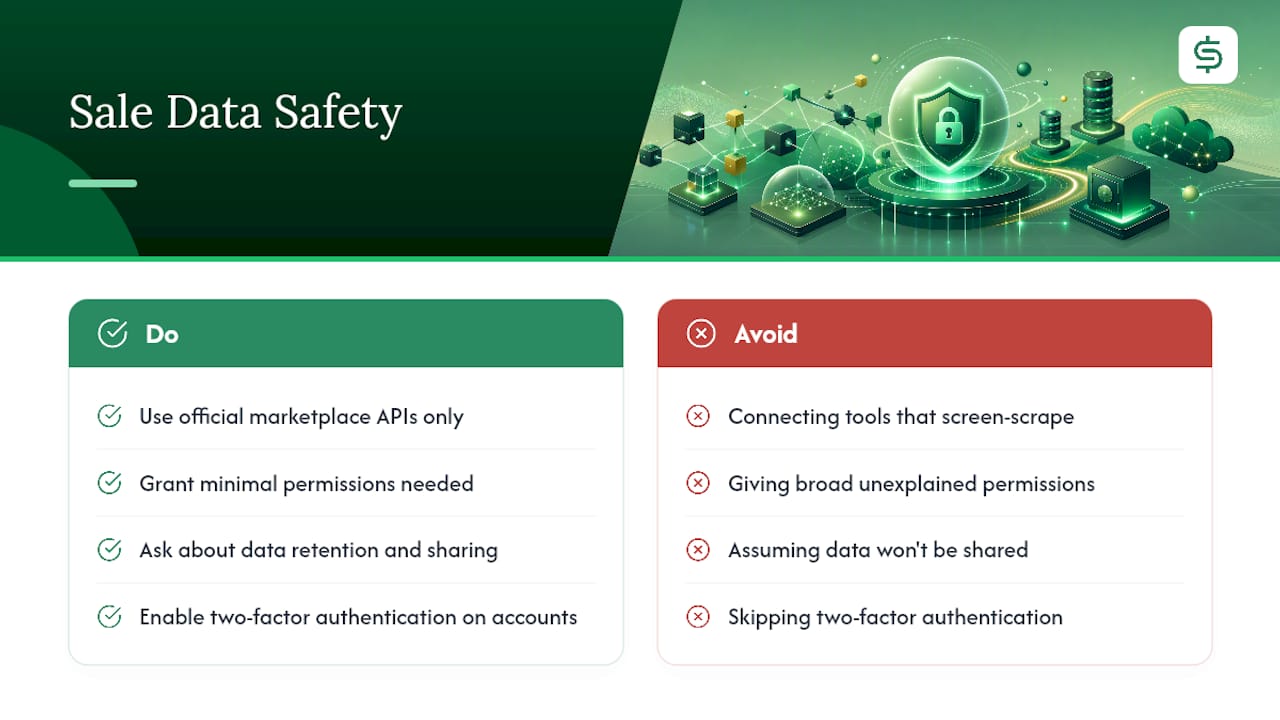
Connecting a third-party tool to your marketplace accounts means handing over meaningful access: order data, inventory counts, sometimes buyer information tied to specific sales. That’s a real trust decision, not a checkbox.
Look for tools that use official marketplace APIs rather than screen-scraping or unofficial workarounds, since scraped connections tend to break without warning and often violate a platform’s terms of service. Official API access also means the marketplace itself has reviewed how that data flows, which adds a layer of accountability a shortcut integration doesn’t have.
Pay attention to what permissions you’re actually granting. Read-only access to inventory is different from full account control, and a well-built tool asks for only what it needs to sync sales and manage listings. If a tool requests broad permissions with no clear explanation of why, that’s worth questioning before you connect anything.
Data retention matters too. Ask how long sales history and buyer details are stored, and whether that data is shared with anyone beyond what’s needed to run the sync. Multi-channel selling already means your information lives on eBay’s servers, Poshmark’s servers, and wherever else you list. Adding one more connection point should tighten your process, not multiply your exposure.
Two-factor authentication on every connected account is the simplest safeguard most sellers skip. If a sync tool gets compromised, that’s the barrier that keeps a bad actor from also draining your marketplace accounts directly.
Does Auto-Delist Improve or Hurt Seller Ratings?
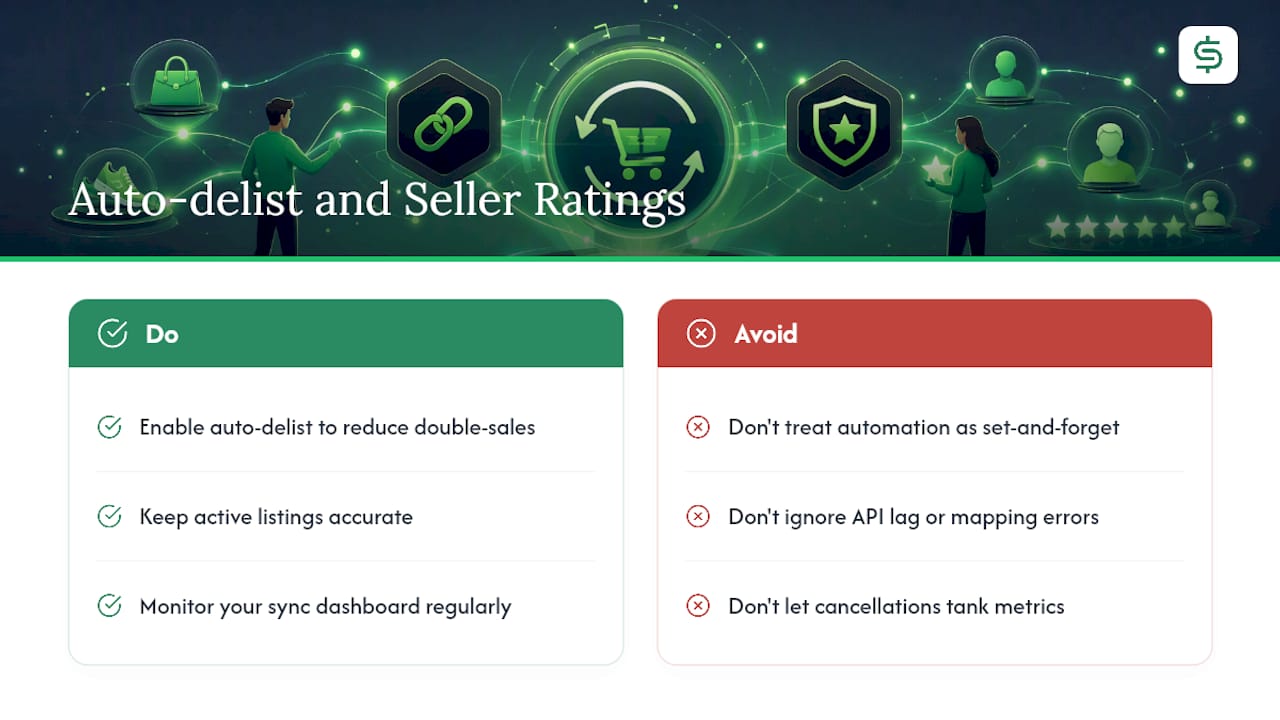
The math here is straightforward: fewer double-sales mean fewer canceled orders, and canceled orders are one of the fastest ways to tank your seller metrics on any platform. eBay, for one, tracks cancellation rate as part of seller standing, and repeated cancellations can limit your account’s visibility or selling privileges.
Buyers notice, too, even when they don’t say anything. A canceled order after they’ve already gotten excited about a purchase reads as unprofessional, regardless of how apologetic your message is. That frustration shows up in feedback and in whether they buy from you again.
Auto-delist also changes buyer experience in a quieter way: it keeps your active listings accurate. A shopper browsing your Depop closet or Poshmark shop who sees five items, all genuinely available, trusts that shop more than one where half the “available” items turn out to be gone. Listing accuracy is a small thing that compounds into repeat business.
The flip side deserves honesty. A missed delist, whether from API lag or a mapping error, produces the exact problem you were trying to avoid. That’s why monitoring your sync dashboard isn’t optional busywork. Automation reduces the frequency of double-sales significantly, but it doesn’t erase the need to glance at your logs now and then. Think of it as cruise control, not a self-driving car.
A Straight Answer From Someone Who Builds This Stuff
Sellers ask me if automation ever fully replaces checking your own accounts. It doesn’t, and anyone who tells you otherwise is selling you something (probably not auto-delist, but something). What automation does is buy back the hours you’d otherwise spend cross-checking five apps by hand every night. We built SpareDollar to do the tedious reconciliation work so you can spend that time actually sourcing inventory instead of playing whack-a-mole with duplicate listings.
Stop Double-Selling Across Every Channel You List On
You’ve seen how auto-delist works, where it lags, and what breaks it. SpareDollar handles the whole chain from a single dashboard: create one listing, push it to every connected marketplace, and let sale detection close out the duplicates automatically the moment one sells. Unlike piecing together spreadsheets and manual cross-checks, you get centralized SKU mapping and reconciliation logs built in from day one.
Check the supported marketplaces to confirm your channels are covered, then start a free trial to test auto-delist on a handful of real listings before committing to a plan. Tiered subscriptions scale with your listing volume, and one-time listing packs are available if you just need extra room during a busy sourcing month.
Sources
- How to remove sold vehicles from front website?
- How to Remove Vehicles: Sold vs Delete – DealerCenter Support
- Inventory Sync and Auto-Delisting — CDP Support Center
FAQ
Does Crosslist Auto Delist When Sold?
Cross-listing tools that offer auto-delist typically require you to opt in and to have created the listing through the tool itself, so linkage between marketplaces stays intact.
Does Vendoo Automatically Delist Sold Items?
Behavior depends on the specific tool and its marketplace integrations; check that tool’s own documentation for which platforms support automatic delisting versus manual mark-as-sold.
Does List Perfectly Automatically Delist Sold Items?
This varies by platform and account settings, and sellers should confirm current auto-delist support directly with that provider rather than assume it matches another tool’s behavior.
Does Flyp Automatically Delist Sold Items?
As with other cross-listing services, confirm directly with the provider, since auto-delist availability often depends on which marketplaces are connected and whether the feature is opt-in.
How Long Does Auto-Delist Typically Take?
Most systems complete a delist within about ten minutes of a detected sale, with an hour as a reasonable point to check logs if nothing’s happened.
Should I Delete a Sold Listing or Just Mark It Sold?
Marking an item sold preserves the page and its search value, while deleting removes it entirely; SpareDollar lets you choose either behavior depending on whether you want to retain SEO value.