
For most eBay sellers replacing InkFrog, the right move is an automation-first, multi-channel platform that handles inventory sync and cross-listing out of the box — not just a template designer. SpareDollar is the recommended starting point: it lets you draft a single listing with AI assistance, push it to multiple marketplaces, and auto-delist when something sells. If templates are genuinely all you need and you have no plans to expand beyond eBay, a lightweight design tool like CrazyLister covers that lane.
Why this recommendation fits most ex-InkFrog sellers:
- Inventory sync prevents oversells across eBay, Poshmark, Mercari, and Shopify without manual updates.
- Multi-channel cross-listing from one draft saves the time InkFrog’s template workflow never recovered.
- Free import tools pull existing listings from eBay, Poshmark, Depop, Mercari, and Shopify so migration doesn’t start from scratch.
Pro Tip: Export your InkFrog CSV and images before anything else. Do it today. Once the shutdown window closes, that data is gone — and rebuilding many listings from memory is nobody’s idea of a good time.
Table of Contents
- Which InkFrog alternatives actually compare well side by side?
- What does each type of replacement actually offer you?
- How do you choose the right InkFrog replacement for your business?
- Migration checklist: how to move off InkFrog without losing data
- Key Takeaways
- Why SpareDollar is the safe upgrade for most ex-InkFrog sellers
- SpareDollar’s free trial is built for sellers leaving InkFrog
- Useful sources for further reading
- FAQ
Which InkFrog alternatives actually compare well side by side?
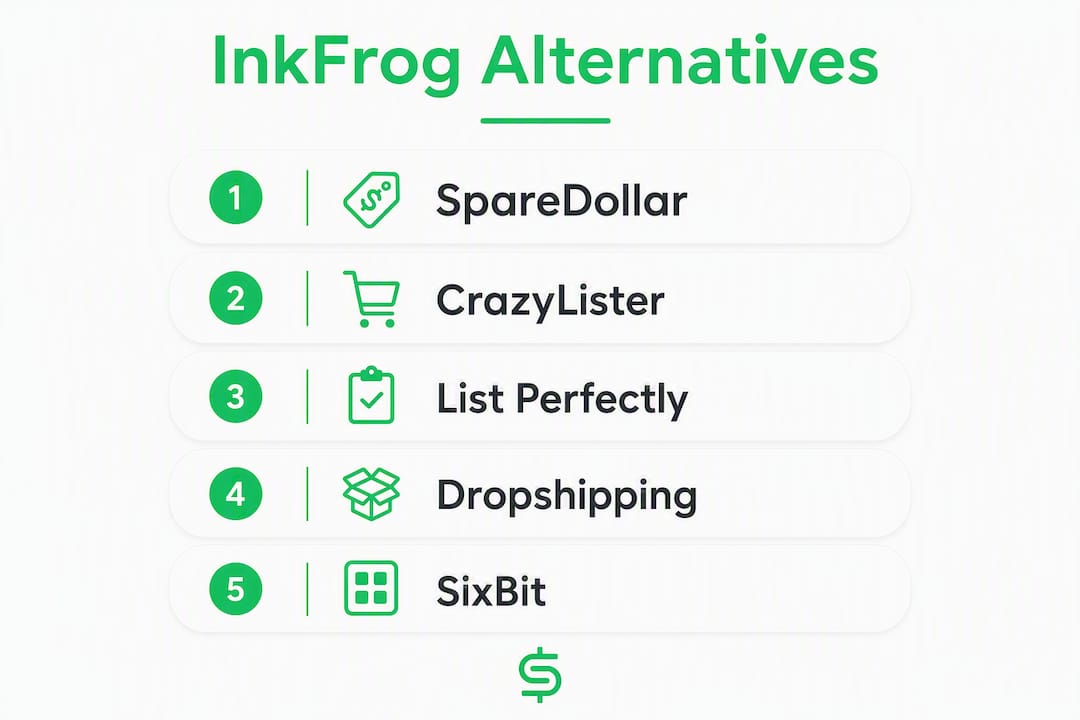
Modern eBay sellers are moving away from listing-only tools toward platforms that combine AI drafting, inventory sync, and multi-channel distribution. The table below maps the top replacement categories against the criteria that matter most during migration.
| Dimension | SpareDollar | Template-first tools (e.g., CrazyLister) | Cross-listing tools (e.g., List Perfectly, Vendoo) | Dropshipping automation suites | Desktop/ERP-style managers (e.g., SixBit) |
|---|---|---|---|---|---|
| Best for | Multi-channel resellers scaling beyond eBay | eBay-only sellers who need polished HTML templates | Resellers listing across Poshmark, Mercari, Depop | Dropshippers needing auto-order and price monitoring | High-volume sellers wanting desktop warehouse control |
| Pricing model | Subscription tiers by new listing volume + one-time listing packs | Subscription | Subscription (tiered by listing count) | Subscription | Subscription or per-listing |
| Marketplaces supported | eBay, Poshmark, Depop, Mercari, Shopify | Primarily eBay | eBay, Poshmark, Mercari, Depop, Facebook Marketplace | eBay, Amazon, AliExpress suppliers | eBay, Amazon, select others |
| Bulk actions / templates / image hosting | Bulk AI drafting, image hosting, per-channel pricing | HTML template builder, image hosting | Bulk cross-list, photo transfer | Bulk order automation | Bulk listing, local image storage |
| Inventory sync / multi-channel qty | Real-time sync, auto-delist on sale | eBay-only, no cross-channel sync | Quantity sync varies by plan | Stock monitoring via supplier feeds | Local inventory database sync |
| Migration / import tools | Free import from eBay, Poshmark, Depop, Mercari, Shopify; CSV | CSV import | CSV and manual re-list | CSV or API | CSV import, InkFrog CSV compatible |
| Free trial / onboarding | Free trial + onboarding assistance | Free trial available | Free plan or trial available | Trial available | Trial available |
| Support & reliability | Onboarding help for migrating sellers | Community + email support | Email + chat support | Email support | Email + phone support |
SpareDollar advantage for migrating sellers: One listing draft pushes to every connected marketplace with inventory quantities synced. When an item sells on Poshmark, eBay delists automatically. No spreadsheet babysitting required.
Community threads and reseller forums consistently flag CSV import support and migration assistance as the two things sellers check first when evaluating replacements. Platforms without both create unnecessary friction at the worst possible moment.
What does each type of replacement actually offer you?

SpareDollar (recommended for most migrating sellers)
SpareDollar is built specifically for eBay sellers who want to list once and sell everywhere. The AI drafting engine generates titles, descriptions, and item specifics from a barcode scan or a photo, then holds for your approval before anything goes live. That last part matters: you stay in control, the AI just does the grunt work.
Core strengths:
- AI-assisted drafting with barcode scanning and price recommendations
- Real-time inventory sync across marketplaces with auto-delist on sale
- Free imports from eBay, Poshmark, Depop, Mercari, and Shopify
Pricing shape: Subscription tiers based on new listing volume per month, plus one-time listing packs for extra volume. Free trial available.
Marketplaces: eBay, Poshmark, Depop, Mercari, Shopify. Full list at SpareDollar’s marketplace page.
Migration tip: Use the free eBay import to pull your active listings directly. No CSV wrestling required — though CSV import works too if you’re coming from InkFrog’s export.
Best for: resellers and small shops managing 50+ listings across two or more marketplaces.
Template-first design tools (e.g., CrazyLister)
CrazyLister focuses on eBay listing design: drag-and-drop HTML templates, mobile-responsive layouts, and image hosting. Trustpilot reviews for CrazyLister highlight the template quality and ease of use. It’s a clean, focused product for sellers who built their brand around a distinctive listing look and want to keep it.
Core strengths:
- Professional HTML templates without coding
- Mobile-responsive listing designs
- Image hosting included
Pricing shape: Subscription. Free trial available.
Marketplaces: Primarily eBay. No native cross-channel sync.
Migration tip: Export your InkFrog template HTML before shutdown and use it as a design reference when rebuilding in CrazyLister. Capterra reviews note the learning curve is short for sellers already familiar with template editors.
Best for: eBay-only sellers whose competitive edge is listing presentation, not multi-channel reach.
Cross-listing and inventory tools (e.g., List Perfectly, Vendoo)

These platforms are built for resellers who list the same item on Poshmark, Mercari, eBay, and Depop simultaneously. The core workflow is: list once, push everywhere, sync quantities. Roundups and community threads consistently recommend this category for sellers already active on multiple resale platforms.
Core strengths:
- Cross-listing to 5–10+ marketplaces from one interface
- Photo transfer between platforms
- Bulk relisting and delist-on-sale features
Pricing shape: Subscription, tiered by listing volume. Some offer a free plan with limits.
Migration tip: These tools import from CSV or manual entry. InkFrog CSV exports map reasonably well, but expect to clean up category fields manually.
Best for: casual-to-mid-volume resellers active on Poshmark, Mercari, and eBay who don’t need enterprise inventory management.
Dropshipping automation suites
Automation-first platforms go beyond listing management into product discovery, price and stock monitoring, and automatic order placement with suppliers. This is a different job than InkFrog was doing — it’s for sellers who want to scale volume without touching physical inventory.
Core strengths:
- Automated product sourcing and price monitoring
- Auto-order placement with suppliers
- Stock level sync from supplier feeds
Pricing shape: Subscription. Trials typically available.
Migration tip: If you were using InkFrog purely for eBay templates and you’re also dropshipping, this category handles both — but the learning curve is steeper than a simple listing tool.
Best for: dropshippers scaling to high SKU counts who need supplier-side automation, not just listing templates.
Desktop/ERP-style managers (e.g., SixBit)
SixBit is a desktop application aimed at high-volume eBay and Amazon sellers who want local database control over inventory. Third-party directories list it alongside enterprise-tier alternatives for sellers managing thousands of SKUs.
Core strengths:
- Local inventory database with full SKU history
- Bulk listing and order management
- InkFrog CSV import compatibility
Pricing shape: Subscription or per-listing options.
Migration tip: SixBit’s CSV import handles InkFrog exports, but desktop tools require more setup time than cloud platforms. Budget a full week for configuration.
Best for: high-volume sellers who prefer local data control and don’t need mobile access.
Pro Tip: Before committing to any platform, check whether it supports Sellbrite-style multi-warehouse quantity rules or just single-location stock. If you store inventory in more than one place, that distinction will bite you at 2 AM on a Sunday.
How do you choose the right InkFrog replacement for your business?
Start with these six questions before you sign up for anything:
- How many active listings do you manage? Under 100 listings, almost any tool works. Over 500, per-listing fees add up fast — model your expected volume before choosing.
- Do you sell on more than one marketplace? If yes, you need native inventory sync, not just a listing tool.
- Do you rely on custom HTML templates? If your brand identity lives in a designed template, a template-first tool preserves that. If not, it’s overhead you don’t need.
- Do you dropship? Dropshipping automation suites handle supplier-side stock monitoring that standard listing tools don’t touch.
- What’s your 12-month growth plan? A flat subscription that covers unlimited listings beats per-listing fees once volume climbs. A tool that costs $20/month at 100 listings can cost $200/month at 1,000.
- How much onboarding help do you need? Some platforms offer live onboarding for migrating sellers. If you have many listings to move, that support is worth real money.
The pricing pitfall most sellers miss: per-listing fees look cheap at low volume and punishing at scale. A platform charging $0.10 per listing costs $100 for 1,000 new listings per month. A flat $30/month subscription covers the same volume for less than a third of that. Always model the math at your expected volume, not your current volume.
During your trial, verify these integrations specifically: eBay item specifics mapping, shipping profile import, payment processor compatibility, and whether the platform’s API connection uses eBay’s latest bulk listing endpoints. Platforms on older API versions occasionally drop item specifics silently.
Pro Tip: Run your old and new systems in parallel for 7–14 days. List new items in the replacement platform while keeping InkFrog active for existing listings. This catches sync issues and formatting breaks before they affect live sales.
Migration checklist: how to move off InkFrog without losing data
Follow these steps in order. Skipping the early QA steps is how sellers end up with 400 listings missing their primary image.
- Export everything from InkFrog today. Download your full CSV export and all listing images. Store both in a cloud folder (Google Drive or Dropbox) as your backup.
- Audit your CSV fields. Open the export in Google Sheets. Check that title, description, price, quantity, category, and item specifics columns are populated. Clean up any blank or malformed rows before importing.
- Map InkFrog fields to your target platform’s import template. Most platforms publish a CSV template. Match column headers manually — “Item Title” in InkFrog may need to become “Title” in the new tool.
- Import a small test batch first (10–20 listings). Pick a mix of categories and price points. Import, then check each listing live on eBay for image order, item specifics accuracy, and shipping profile assignment.
- Test inventory sync and order flow. Sell one test item (or simulate a sale in a sandbox environment) to confirm the platform delists correctly across all connected marketplaces.
- Import the rest in batches of 50–100. Batching catches errors early and keeps the import log readable.
- Run post-import sanity checks on every batch: image order and alt text, item specifics completeness, custom variations, shipping profiles, and live relisting behavior after a sale.
- Monitor for 48 hours after each batch. Watch for duplicate listings, quantity mismatches, and any eBay policy flags triggered by reformatted descriptions.
Suggested timeline:
- Day 0: Export InkFrog CSV and images; audit and clean CSV.
- Days 1–3: Import test batch of 10–20 items; QA and fix issues.
- Days 4–7: Full import in batches; monitor live listings.
- Day 7+: Decommission InkFrog access; confirm all listings are live and synced.
Pro Tip: Preserve your best-selling listing titles exactly as they are. Those titles have SEO history on eBay’s search algorithm. Rewriting them during migration can drop your search placement for weeks.
If an import fails, check these first: special characters in description fields (em dashes and curly quotes break some parsers), image URLs that have already expired, and category IDs that don’t map to eBay’s current taxonomy. When in doubt, contact the platform’s onboarding support before manually fixing 500 rows.
For multi-channel inventory management after migration, confirm that quantity updates propagate within minutes, not hours. A 4-hour sync delay on a single-quantity item is an oversell waiting to happen.
Key Takeaways
SpareDollar is the recommended replacement for most eBay sellers leaving InkFrog because it combines AI-assisted listing, real-time inventory sync, and free imports from five platforms in a single subscription.
| Point | Details |
|---|---|
| Export your data first | Download your InkFrog CSV and images immediately — this is your only safety net. |
| Match tool to seller type | Template-only sellers fit CrazyLister; multi-channel resellers fit SpareDollar or a cross-listing tool. |
| Model 12-month pricing | Per-listing fees beat subscriptions at low volume but flip at scale — run the math before committing. |
| Run a parallel migration | Keep InkFrog active for 7–14 days while testing the new platform to catch sync and formatting issues early. |
| SpareDollar for most sellers | SpareDollar’s free import, AI drafting, and auto-delist make it the lowest-friction upgrade for multi-channel eBay sellers. |
Why SpareDollar is the safe upgrade for most ex-InkFrog sellers
The conventional wisdom in reseller communities is to find the closest one-to-one replacement for whatever tool just shut down. That instinct makes sense emotionally, but it often leads sellers to rebuild the same workflow that was already limiting them. InkFrog was a template manager. Most sellers who used it are now running multi-marketplace operations that a template manager was never designed to handle.
SpareDollar is the recommendation here not because it’s the flashiest option, but because it solves the actual problem: one listing, multiple marketplaces, quantities that stay accurate. The AI drafting is genuinely useful rather than gimmicky — it handles the tedious parts (item specifics, price suggestions, description structure) while keeping the seller in the decision seat. That’s the right balance. Onboarding assistance is available for migrating sellers, which matters when you’re moving hundreds of listings under time pressure.
SpareDollar’s free trial is built for sellers leaving InkFrog
If you’re migrating off InkFrog, SpareDollar’s free trial is the lowest-risk next step. You get AI-assisted listing drafts, free imports from eBay, Poshmark, Depop, Mercari, and Shopify, and real-time inventory sync across every connected marketplace. List once, and SpareDollar pushes it everywhere. When something sells, it auto-delists across all channels. No more manual quantity updates, no more oversells, no more “wait, did I already sell that?” moments.
The subscription tiers scale with your listing volume, and one-time listing packs are available if you need extra capacity during migration without upgrading your plan. Onboarding assistance is included for sellers moving from InkFrog — so if your CSV import hits a snag, help is there.
Start your free trial at SpareDollar and see how many subscriptions you can replace with one.
Useful sources for further reading
Research reports and comparisons
- InkFrog Alternatives Compared: 7 Best eBay Tools 2026 | Ecomli — Covers the shift from template-only tools to automation-first platforms; useful for understanding the category landscape.
- Top InkFrog Alternatives | CB Insights — Third-party directory covering the full range from lightweight to enterprise; useful for understanding the competitive field.
- inkFrog Alternatives & Competitors | SaaSHub — Aggregator listing 10+ alternatives with free trial flags; good for a quick scan of onboarding offers.
Community and seller forums
- InkFrog alternatives? | eBay Community Seller Tools — Real seller questions and answers from the eBay community; grounded in practical migration concerns.
CrazyLister reviews
- CrazyLister reviews | Trustpilot — User reviews covering template quality and ease of use.
- CrazyLister | Capterra — Software review platform with verified user ratings and feature breakdowns.
SpareDollar product pages
- SpareDollar features — Full feature list including AI drafting, inventory sync, and listing packs.
- SpareDollar marketplaces — Supported marketplace integrations and connection details.
- SpareDollar as an InkFrog alternative — Dedicated migration page for sellers moving from InkFrog.
FAQ
What is the best alternative to InkFrog for eBay sellers?
SpareDollar is the strongest replacement for most eBay sellers because it combines AI-assisted listing drafts, free imports from five platforms, and real-time inventory sync in one subscription. Sellers who only need HTML templates can use CrazyLister instead.
What is the best eBay listing software in 2026?
The best choice depends on your scale and channels. Multi-channel resellers get the most from automation-first platforms like SpareDollar; eBay-only sellers focused on listing design often prefer template tools like CrazyLister; high-volume dropshippers typically need a dedicated dropshipping automation suite.
Is there a free trial available for InkFrog replacements?
Most major alternatives offer a free trial or a limited free plan. SpareDollar offers a free trial with onboarding assistance specifically for sellers migrating from InkFrog.
How long does migrating from InkFrog actually take?
A staged migration typically runs 7–10 days: export and clean your CSV on Day 0, run a small test batch on Days 1–3, complete the full import in batches by Day 7, then monitor for 48 hours per batch to catch sync or formatting issues.